See the whole schedule
View task names, owners and dates beside a visual Gantt timeline, so the plan reads as one connected picture.
SharePoint Project turns the Tasks list your team already uses into a clear, interactive plan. See what is happening, understand what comes next and update work without moving it into another system.
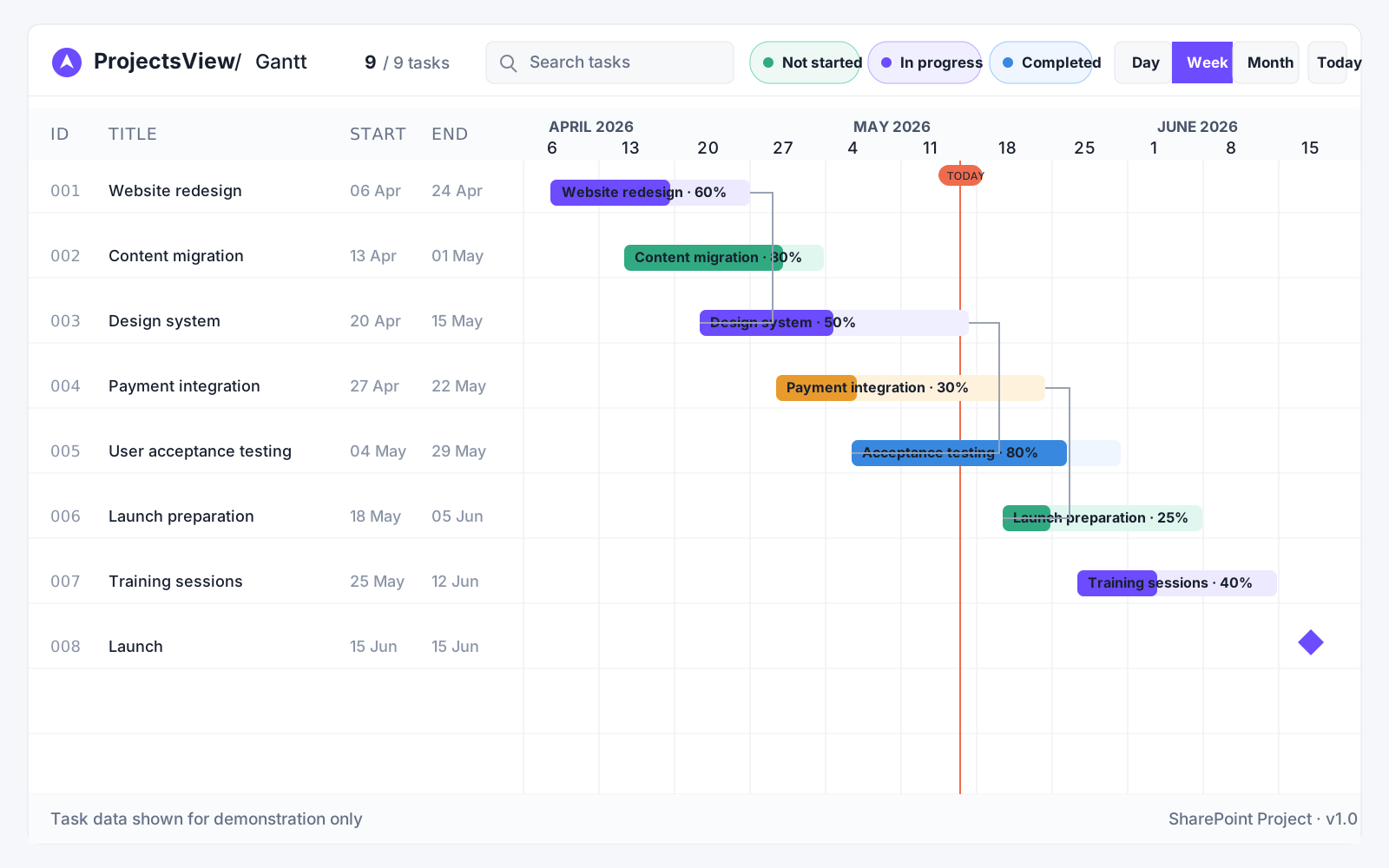
As work grows, rows of tasks make it harder to see timing, overlap and dependencies. SharePoint Project adds that missing perspective while keeping SharePoint as the source of truth.
Your team gets a focused planning workspace without duplicating tasks, learning a separate project system or losing the permissions and processes already in place.
From the first overview to the smallest schedule change, the core planning tools stay in one place.
View task names, owners and dates beside a visual Gantt timeline, so the plan reads as one connected picture.
Show which tasks rely on earlier work and spot the chain that could affect a deadline.
Search and filter by status or assignee, then group tasks by project, status or owner.
Move or resize task bars to update start and due dates without leaving the timeline.
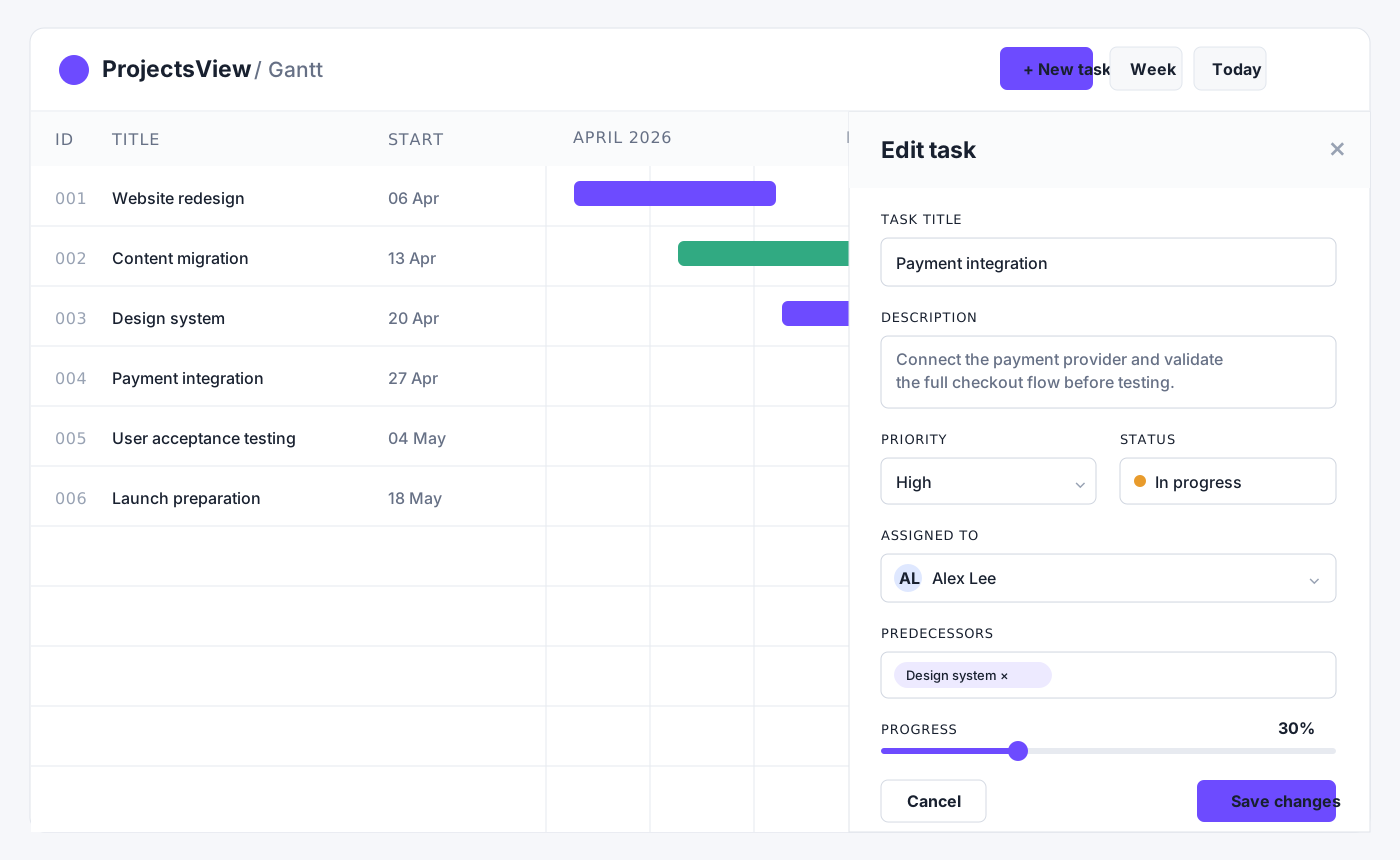
Create tasks and edit descriptions, priorities, people, dates, status and progress from the detail panel.
Choose timeline scale, table width, row density, colors, weekends, dependencies and dark mode.
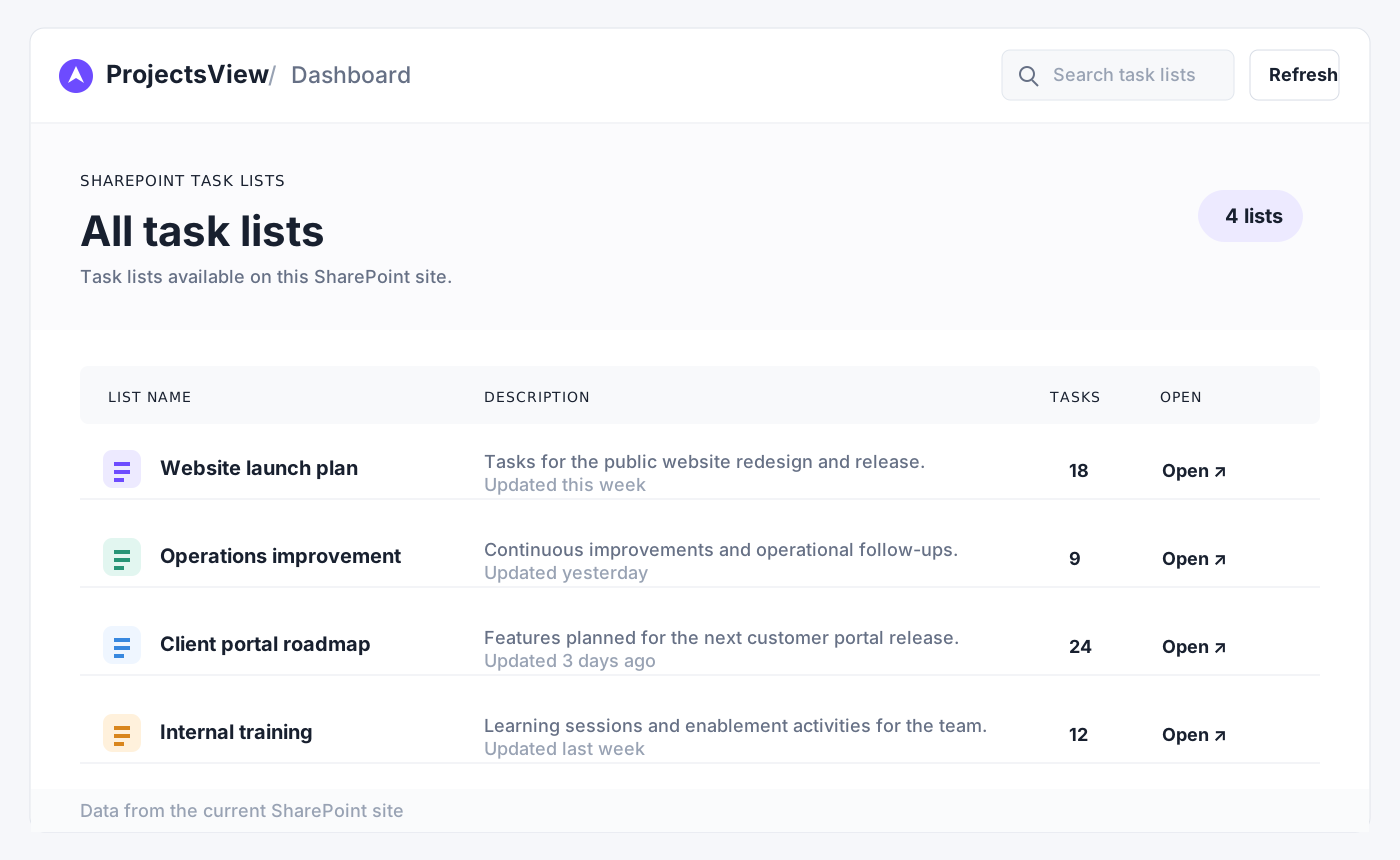
The dashboard finds standard SharePoint Task lists on the current site. Search the available lists and open the project you want to plan.
Select a task to review the details that matter, then update ownership, dependencies, dates, status and progress without losing sight of the schedule.
SharePoint Project is packaged as an SPFx solution and works with the standard Task content type. It can run as a SharePoint web part, a full-page experience or a Microsoft Teams tab.
Discuss your SharePoint setupTell me how your team uses SharePoint Tasks today, and we can explore how SharePoint Project would fit your environment.